TikTokReelsYouTubeSnapchatWhatsApp
Saved to your camera roll, ready to post anywhere
Layouts
Three ways to frame the shot.
Pick the framing that fits the moment, then drop your selfie into any corner.
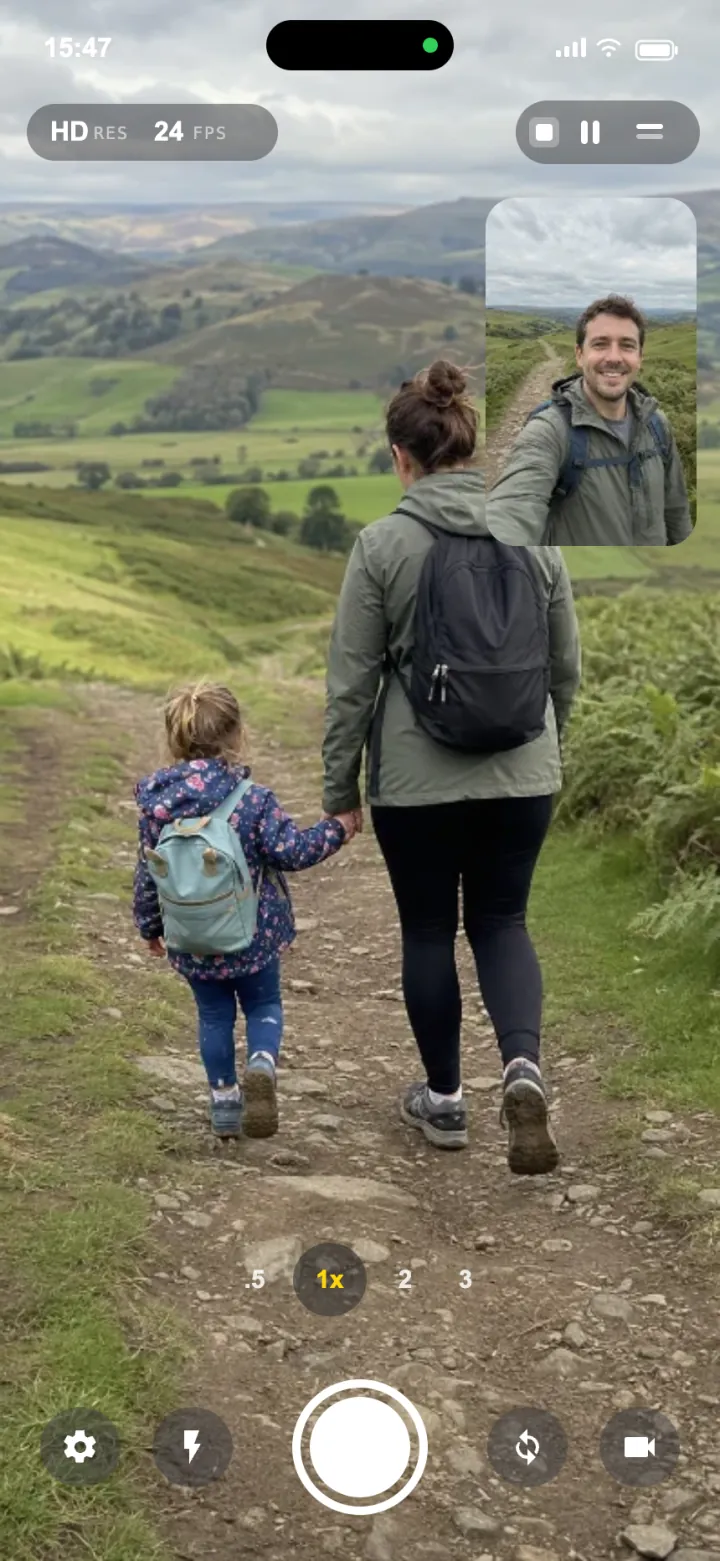
Picture in Picture
Your reaction floating over the scene.
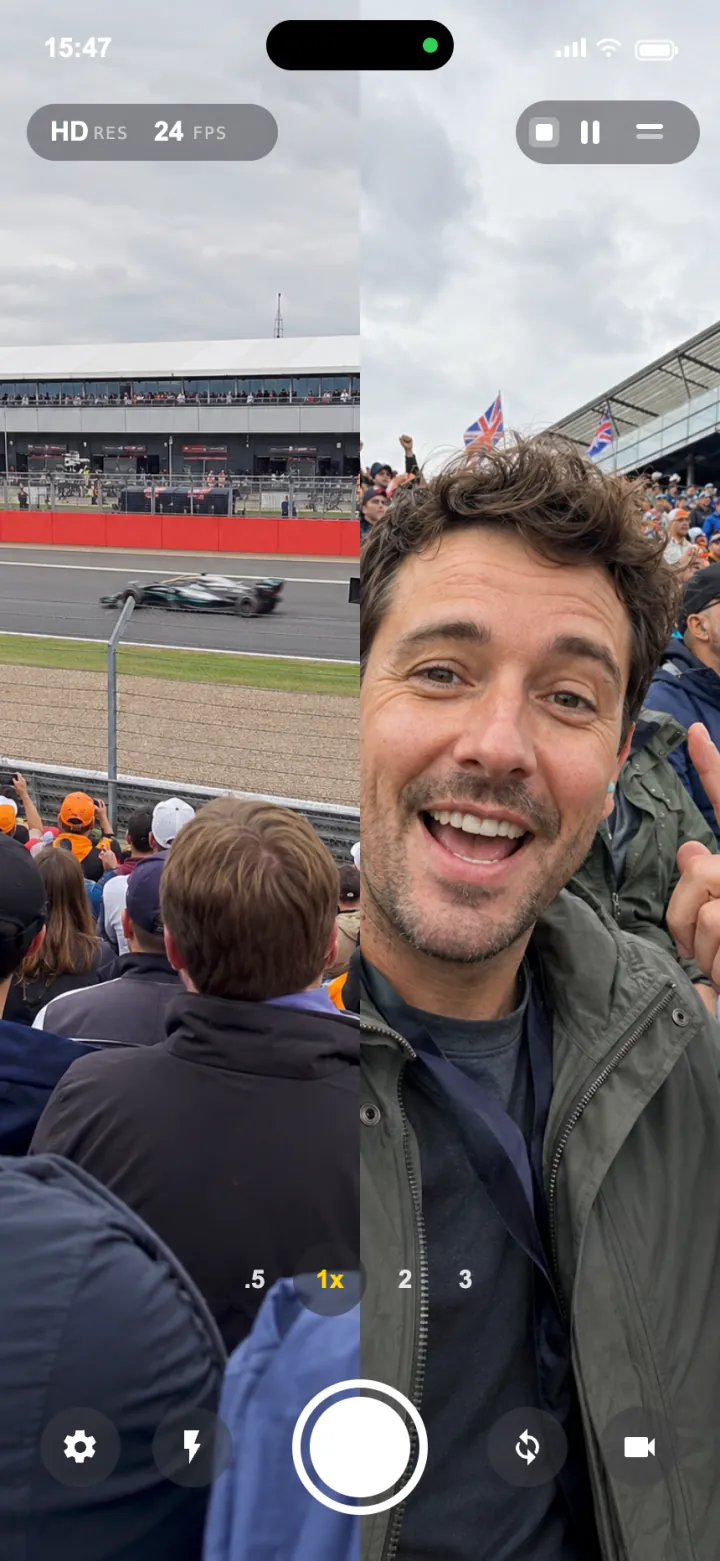
Split Screen
Both feeds side by side, equal billing.
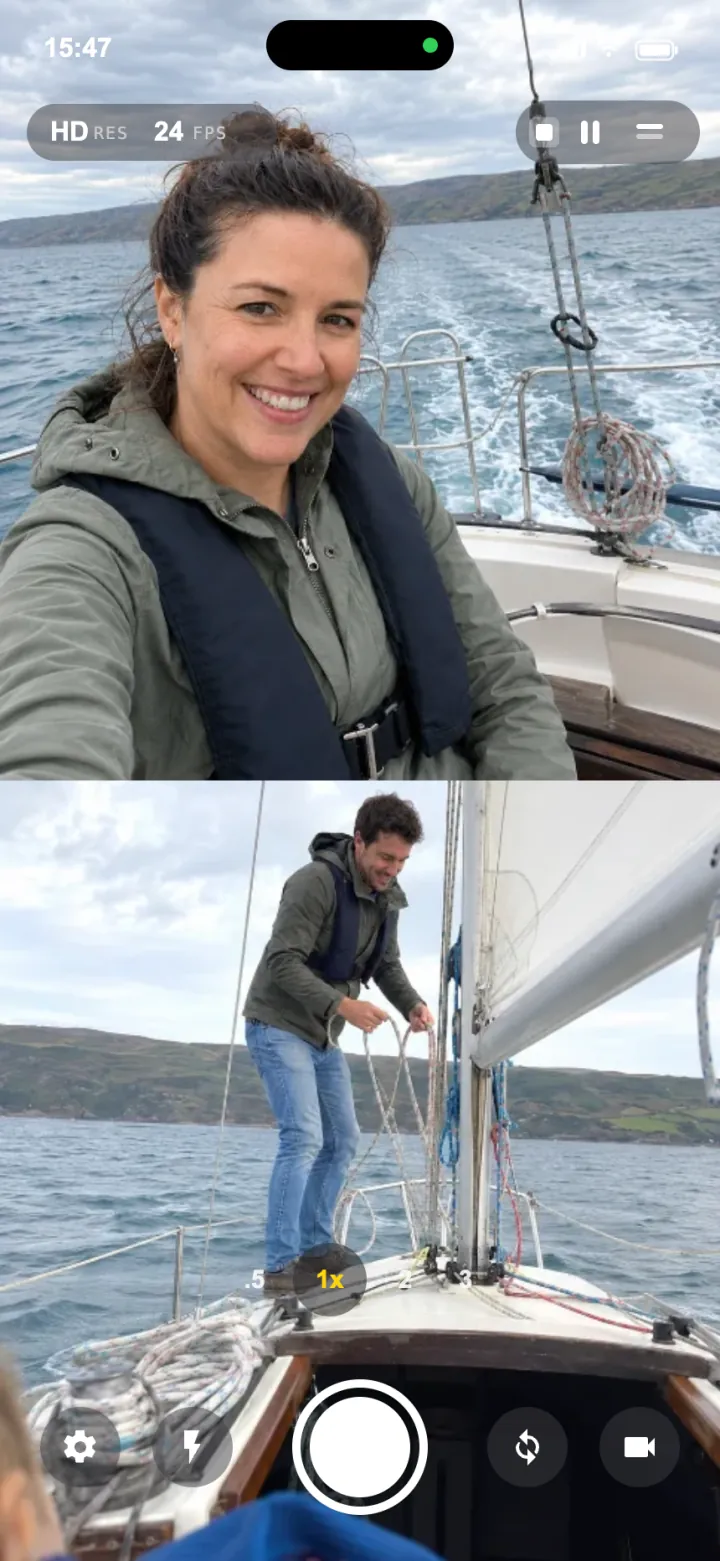
Top / Bottom
Stacked for full height vertical video.
PiP positionTop leftTop rightBottom leftBottom rightDrop the selfie into any corner.
Auto orientation
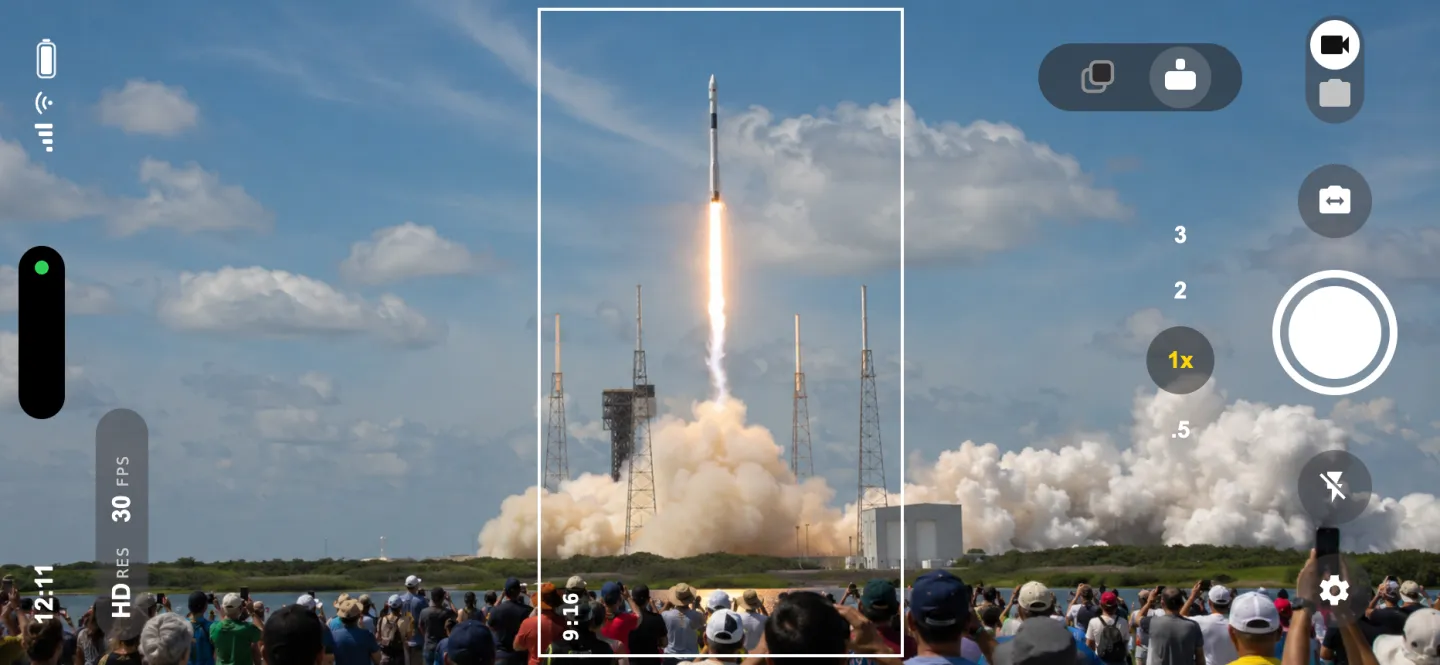
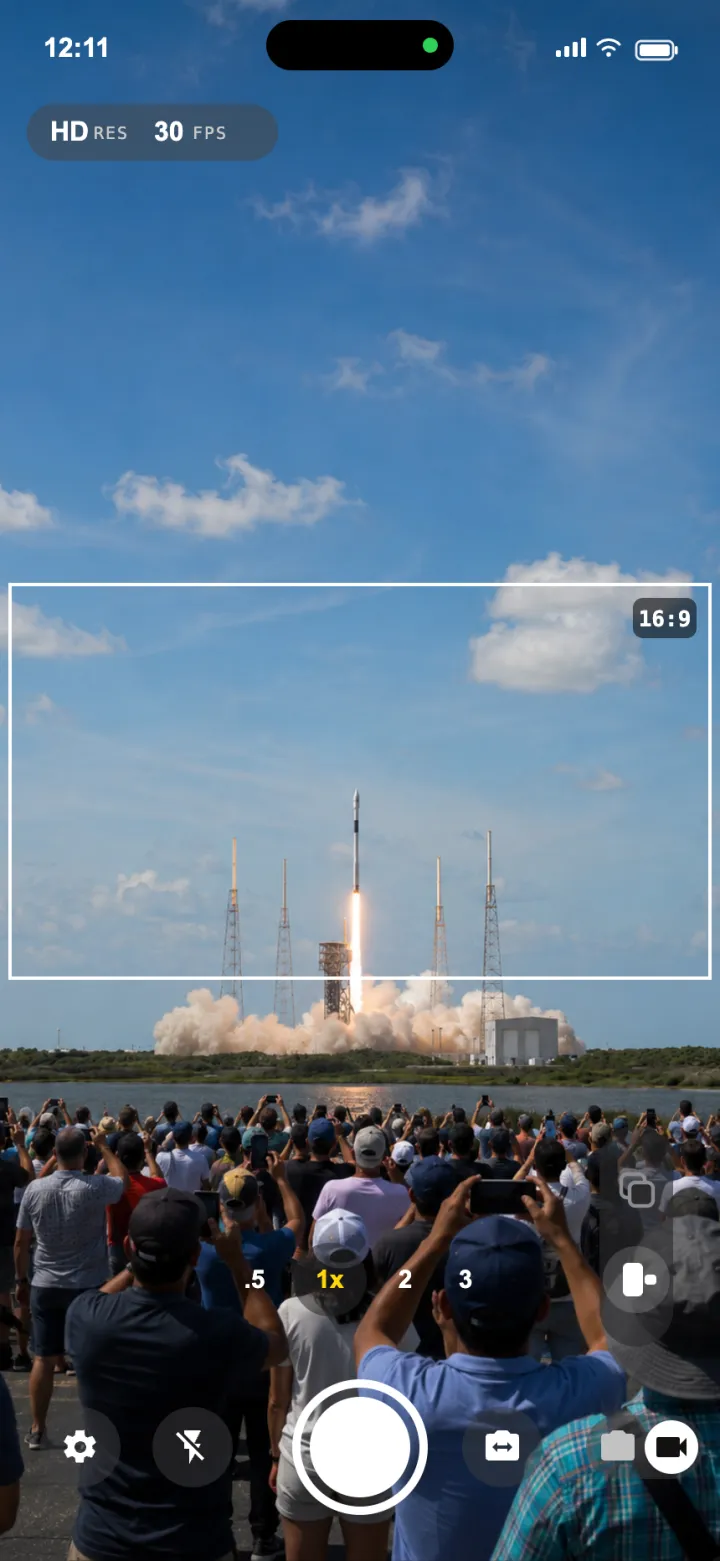
One shot. Portrait and landscape.
Not shooting dual? Flip to single-camera mode. SplitCam takes one photo or video and automatically crops it for both orientations, so the same shot fits a vertical feed and a widescreen timeline. No reshoot.
Portrait → 16:9Landscape → 9:16
Why SplitCam
You don't need the newest iPhone.
Apple's built in dual capture is locked to its latest phones. SplitCam brings it to iPhone XS and up, with more control layered on top.
iPhone XS+
Works on older iPhones
Record both cameras on iPhone XS and newer, no need to upgrade to the latest model just to shoot dual.
3 layouts
More layouts than stock
Picture in picture, split screen and top/bottom, with the selfie inset movable to any corner.
Native feel
Feels like part of iOS
Built on Apple's own camera stack, so it looks, moves and responds like a native app, not a clunky third party one.
Features
Everything a two camera take needs.
4K · 60fps
Crisp, high frame rate
Record up to 4K at 60fps on supported iPhones, with quality settings to keep uploads fast.
Audio
Pick your mic
Capture from the front mic, back mic, or both, synced to your footage automatically.
PiP position
Move it to any corner
Drag the selfie inset into any of the four corners so it never blocks the action.
Save
Instantly in your camera roll
Every take saves straight to Photos the moment you stop, ready to post anywhere.
Privacy
Stays on your device
Everything is processed locally. Nothing is uploaded. Your footage stays yours.
Control
Portrait, landscape, flash
Shoot either orientation, zoom live, and fire flash on both cameras.
Control
Dial it in, then forget it.
Resolution, frame rate, format and mic, set once in a clean, iOS native sheet, then just hit record.
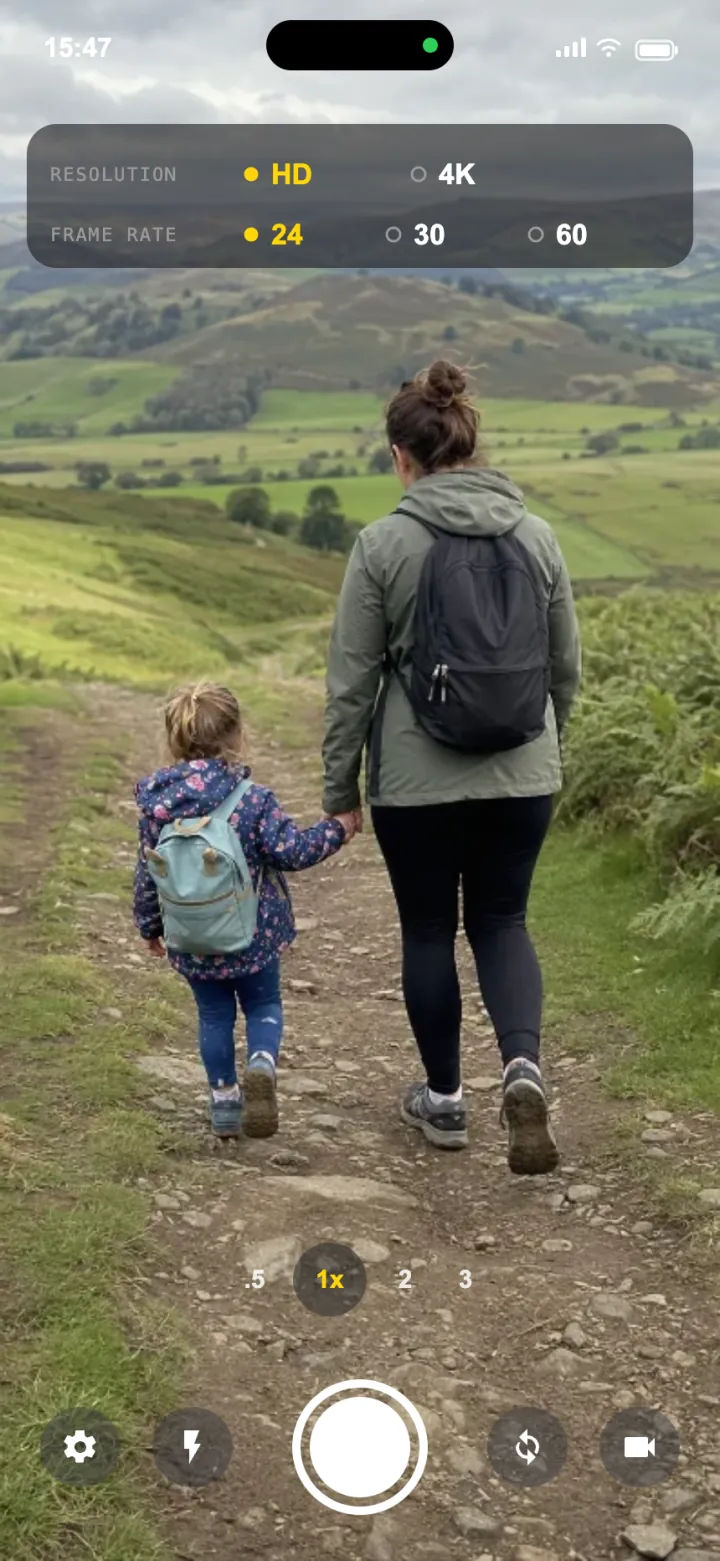
Resolution
HD or 4K · 24 / 30 / 60fps
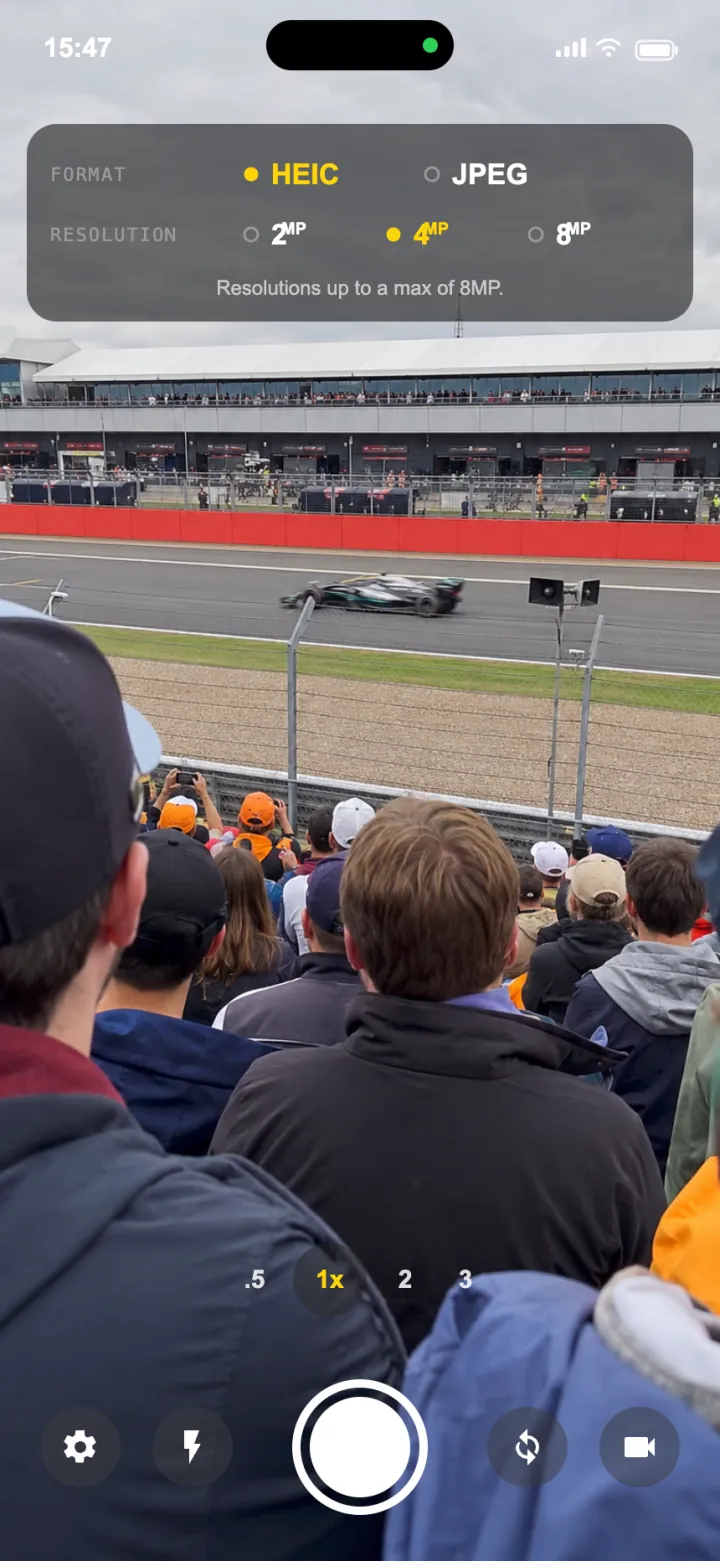
Format
HEIC or JPEG · up to 8MP
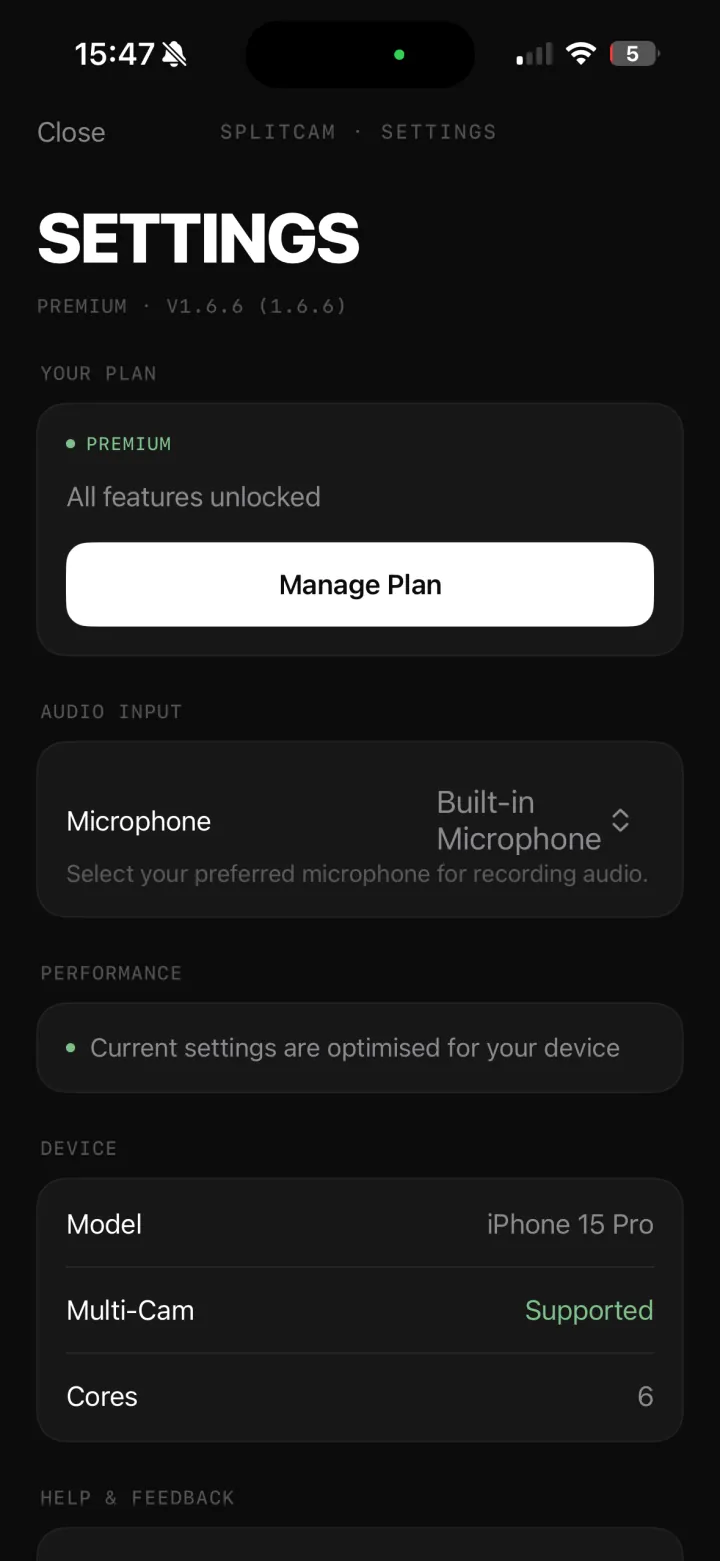
Settings
Mic source, plan & device
Built for creators
If both sides matter, this is your camera.
- Reaction videos
- Vlogging
- Tutorials
- Gaming face cam
- Travel
- Interviews
- Product reviews
- Music & performance
Free + Pro
The core is free. Pro adds the extras.
Record both cameras and post, no account, no paywall. Upgrade to Pro when you want the full toolkit.
Free
Everything to shoot both sides
- Front + back at the same time
- Picture in picture layout
- Save to Photos & share anywhere
- No account required
Pro
Unlock the full studio
- Remove the watermark
- Split screen & top/bottom layouts
- Full 4K · 60fps recording
- Move the selfie to any corner
FAQ
Good to know.
Which iPhones record in 4K at 60fps?
iPhone XS and newer. SplitCam is optimised for the latest models including iPhone 15 and 16, and requires iOS 17.6 or later.
Do I need to edit or stitch clips together?
No. Both cameras are captured in a single take, already composed in your chosen layout. Open the app, pick a layout, tap record.
Is my footage private?
Yes. Everything is processed locally on your device, nothing is uploaded to external servers.
Can I move the selfie box?
Yes. Drag the picture in picture selfie into any of the four corners to frame your shot exactly how you want.
Is it free?
SplitCam is free to download and use, record both cameras and share, no account needed. Pro unlocks watermark removal, split screen and top/bottom layouts, and full 4K.